

KWSP Borang A, SOSCO, LHDN PCB Submitted but found mistake, how to resubmit second time?
KWSP
Submitted KWSP EPF Borang A, but found a mistake? Below step will guide you how to do a resubmit of KWSP EPF BORANG A second time.
Fax a letter to the KWSP contact center (03-89226222) with the following details:
Company name
EPF number
File name
Total contribution amount
Contact details of your company’s payroll officer
Your form (Borang A) will be deleted within 21 working days and you may submit a new one.
If you have already paid the incorrect contribution you should contact the EPF officer in charge of your company – for further information please contact the EPF call center (03-89226000).
PERKESO
Submitted PERKESO SOCSO Borang 8A, but found a mistake? Below step will guide you how to do a resubmit SOCSO Borang 8A second time to Perkeso.
Prepare a letter to PERKESO with the following details:
Company name
SOCSO number
Details of mistake
Date of submission
Contact details of your company’s payroll officer
Submit this letter along with a receipt of the contribution to any PERKESO counter.p
LHDN
Submitted LHDN Income Tax CP 39 form, but found a mistake on PCB Contribution? Below step will guide you how to do a resubmit of PCB Income Tax CP 39 Form second time to LHDN.
Prepare a letter to the LHDN with the following details:
Company name
Company E Number
Details of mistake
Date of submission
Contact details of your company’s payroll officer
Submit this letter along with a corrected version of the form to the LHDN branch in charge of your company – to find out which branch is in charge of your company, please contact the LHDN call center (1-800-88-5436).
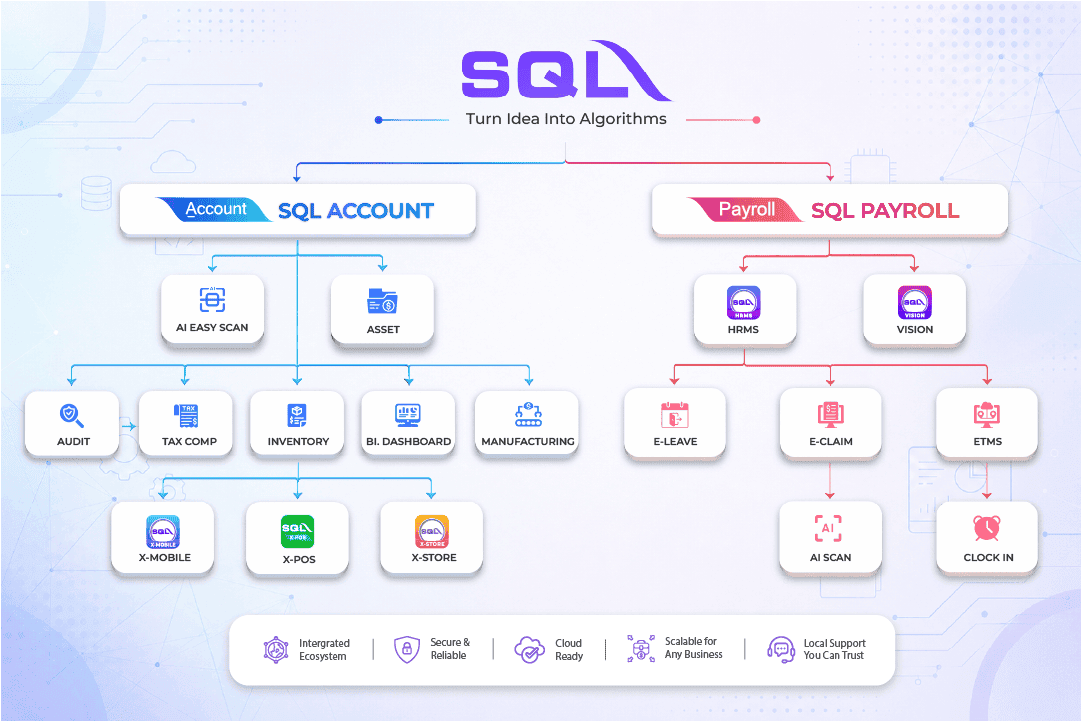
SQL Payroll software Favoured Features
Certified by Statutory bodies & 100% accurate
Compliant with employment requirements in Malaysia. Inclusive of KWSP, SOCSO, LHDN, EIS, HRDF, EPF Borang A, SOCSO Borang 8A, Income Tax CP39, and Borang E ready. SQL Payroll software is ready to use with minimal setup for all companies.
electronic submission & e-Payment ready
SQL Payroll Software E-submission format are prepared for all banks in Malaysia. Maybank, CIMB, HLBB, Public Bank & many more
Batch email payslip
Securely send payslips to employees using batch email with password encryption
Comprehensive management reports
Print payroll summary, yearly payroll individual report, contribution info report & many more.
Unlimited year records
Records salary info for unlimited amount of years & print EA forms for any year
E Leave mobile app
Apply for leave anytime anywhere with speedy approval from management. Get managerial view of individual leave reports and EA forms

Share This Page
Share
Tweet